Excellent tool to manage multiple Gmail accounts
Mailplane is an excellent tool for anyone that has multiple Gmail accounts and needs to switch between then regularly.
Mailplane was originally created back in the days when IMAP support wasn't available in Gmail and you could only access it from your browser. Nowadays you can consult Gmail from any mail client like Mail.app or Thunderbird and there are even browser plugins that will do the checking for you. However, Mailplane is made specifically for the use of Gmail and is one of the best ways of managing multiple accounts at once.
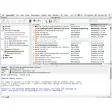
Mailplane works independently of your browser to manage Gmail accounts. Along the top of the interface, you have buttons for replying, sending, printing, forwarding etc much like a normal mail client. There are also buttons for quickly adding photos (with special integration for iPhoto) and viewing downloads. Alternatively, you can drag and drop attachments such as photos and documents onto Mailplane while you're composing it
You can add as many accounts as you want using the Accounts button. When new mail arrives, a Mailplane icon in your Menu bar will indicate how many are waiting to be read and each account features a number next to it indicating the amount of mail in that particular inbox. By clicking on the Menu bar icon, a drop down menu shows you the subject heading of unread mail in each inbox.
The big advantage though is that managing multiple inboxes with Mailplane is so much easier than doing it in your browser. You can't have more than one Gmail inbox open in a browser and while you can't in Mailplane either, switching between them is so much easier.
If you only use one Gmail account, then Mailplane isn't exactly essential. If you do however, it's the best way I've found of managing multiple inboxes.
NEW: Recall and track your email conversations with EvernoteUPDATED: French, German, Japanese, Romanian and Swedish translationFIX: Quick Links didn't show up in Mail > Goto > Navigate.FIX: Mailplane shared cookies with Safari when used on Mac OS X LionFIX: Main window did show up when starting Mailplane as hidden startup item.FIX: Delay error message when no network was available at startup.FIX: Exporting MS-Word from Google Docs didn't workFIX: Help window didn't show correct title
Changes
NEW: Recall and track your email conversations with EvernoteUPDATED: French, German, Japanese, Romanian and Swedish translationFIX: Quick Links didn't show up in Mail > Goto > Navigate.FIX: Mailplane shared cookies with Safari when used on Mac OS X LionFIX: Main window did show up when starting Mailplane as hidden startup item.FIX: Delay error message when no network was available at startup.FIX: Exporting MS-Word from Google Docs didn't workFIX: Help window didn't show correct title




























User reviews about Mailplane
Have you tried Mailplane? Be the first to leave your opinion!